Knowledge
Connect knowledge bases to an Agent in its Knowledge tab, so it answers from your own documents about your business, products, services and processes - everything a human colleague would know, and more.
Adding knowledge to your Agent
Knowledge bases hold the documents an Agent answers from: FAQs, policies, price lists, manuals. First build the knowledge base and upload what the Agent should know.
Build a knowledge base
Upload documents and describe when the Agent should use them.
Then connect it to the Agent:
Open the Knowledge tab
Open the Agent and go to its Knowledge tab. Save a new Agent first.
Add knowledge bases
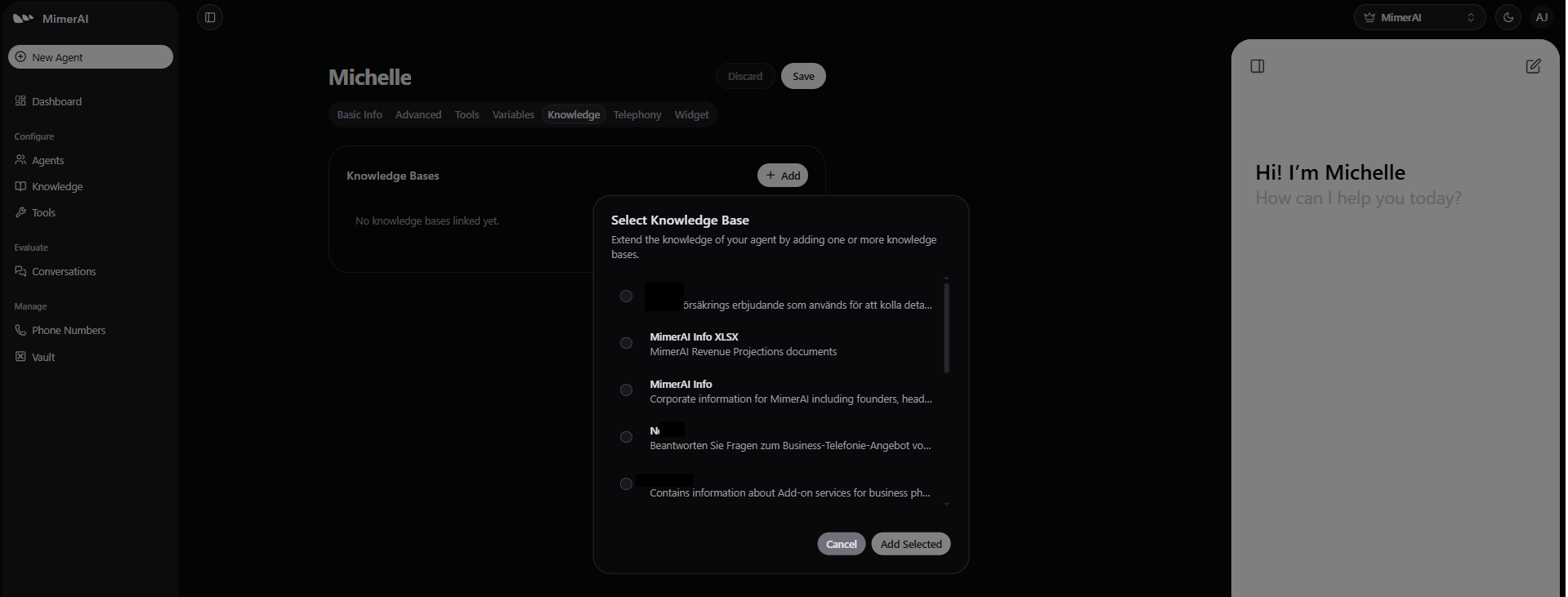
Click Add, select one or more knowledge bases and click Add Selected.
One knowledge base can be connected to many Agents, so shared information lives in one place.
Remember
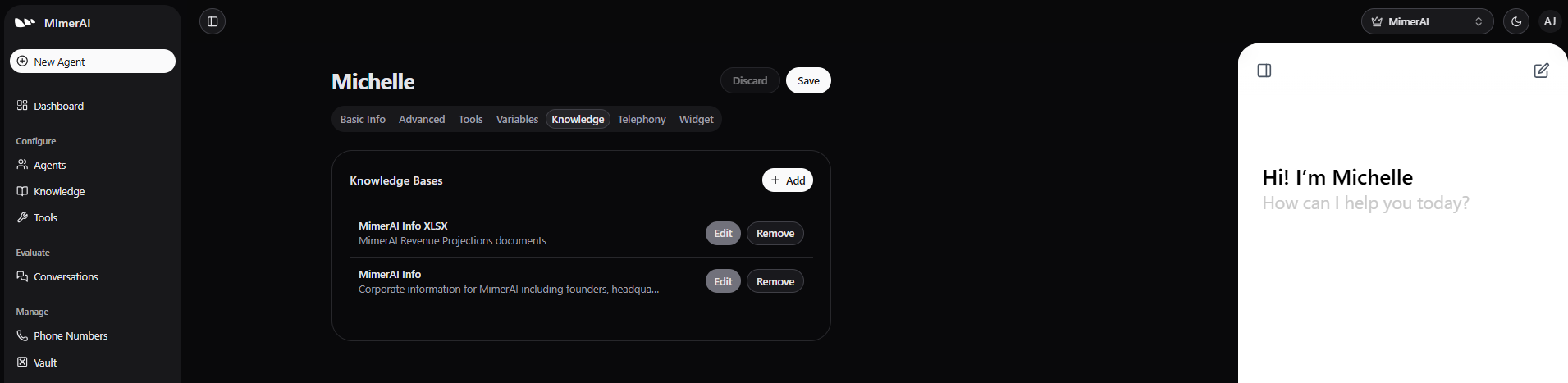
Edit opens a knowledge base to change its description or documents. Remove disconnects it from this Agent; the knowledge base itself stays, along with its connections to other Agents.
Variables
Make the Agent's instructions dynamic with variables, such as the caller's phone number or data a tool fetched before the conversation, filled in when each conversation starts.
Telephony
Let an Agent answer phone calls by assigning it a phone number in its Telephony tab. No missed calls, no hold music, no IVR menus - every caller is served right away.