Knowledge
Build knowledge bases from your own documents - FAQs, policies, price lists, manuals - so your Agents answer accurately about your business, products and services.
Creating a knowledge base
Knowledge is the central place to keep the information your Agents need: organized, relevant and up to date. Each knowledge base holds any number of documents, and one knowledge base can be used by many Agents, so you can mix and match later on.
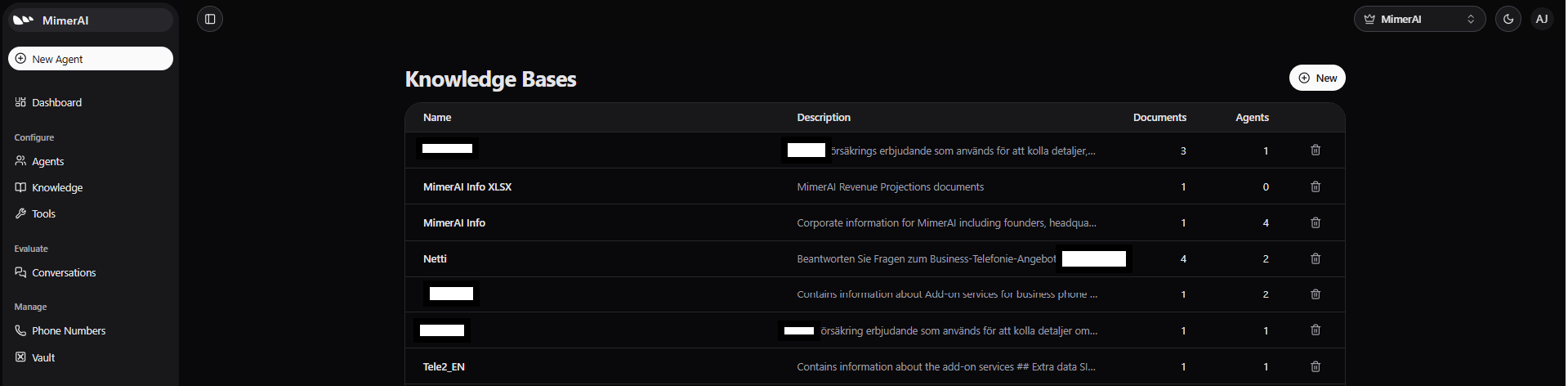
Create it
Go to Knowledge in the menu, click New, enter a Name and a Description, and click Create.
Upload documents
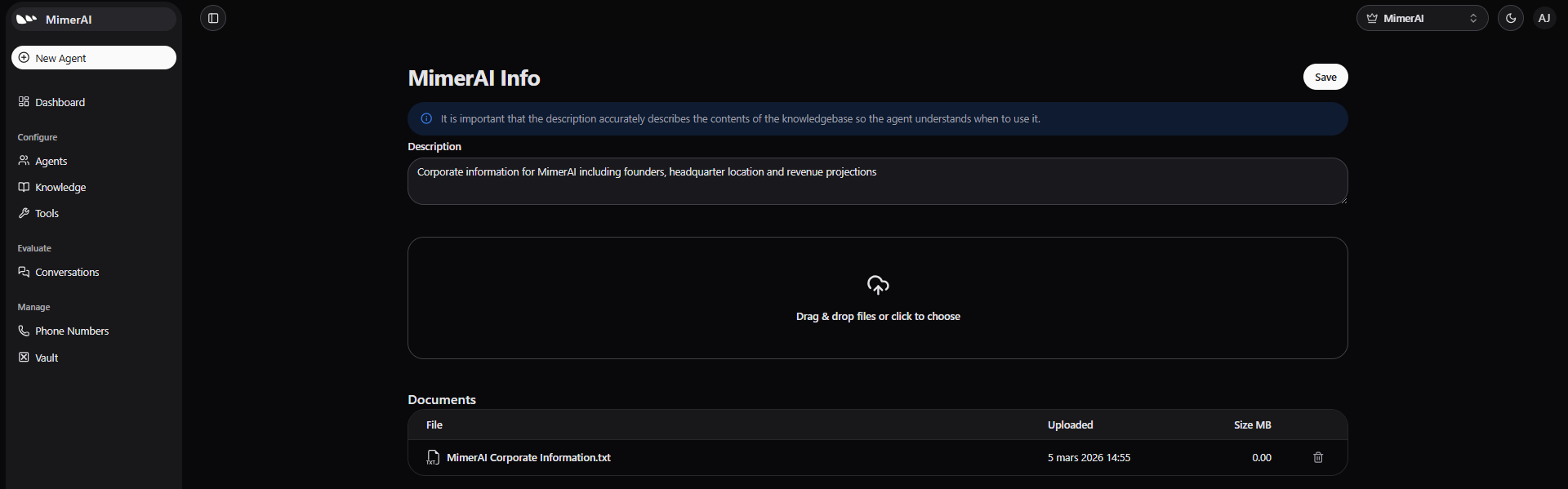
Drag and drop files onto the knowledge base, or click to choose them. Supported types: PDF, Word (docx), PowerPoint (pptx), Excel (xlsx), Markdown (md), text (txt), JSON and web pages (html), up to 20 MB per file. Each document is processed after upload; its progress shows in the list. Uploading a file with the same name as an existing document asks whether to replace it.
Connect it to Agents
In each Agent's Knowledge tab. See Agent knowledge.
Write a clear description
The knowledge base description is critical to how your Agent behaves.
The Agent reads it to decide when to search this knowledge base, so it directly affects how accurate the answers are.
The description should say:
- what information the knowledge base contains,
- which topics and situations it covers,
- what kind of questions it answers.
Why it matters:
- A clear description → accurate, relevant answers.
- A vague description → wrong or missed answers.
Take the time to write a clear, specific description: it makes the Agent use the knowledge base at the right moment and give correct, helpful information.
Remember
Keep the content relevant and current, and follow the principle of "less is more". Too much, outdated or contradictory information confuses the Agent and makes its answers less accurate.
Templates
Share a well-built Agent as a template, in its Sharing tab, and start new Agents from it in your organization and its sub-tenants - with the instructions, variables and voice settings already in place.
Introduction to Tools
Tools let your Envocal Agent go beyond conversation and work with your other systems - look up live information and take actions before, during or after a conversation.